IBM i, in WND Terminal
A full 5250 emulator for IBM i, on Windows, Mac and in the browser, with the keys your people know from PCOMM and IBM i Access Client Solutions.
Included in every plan. See pricing
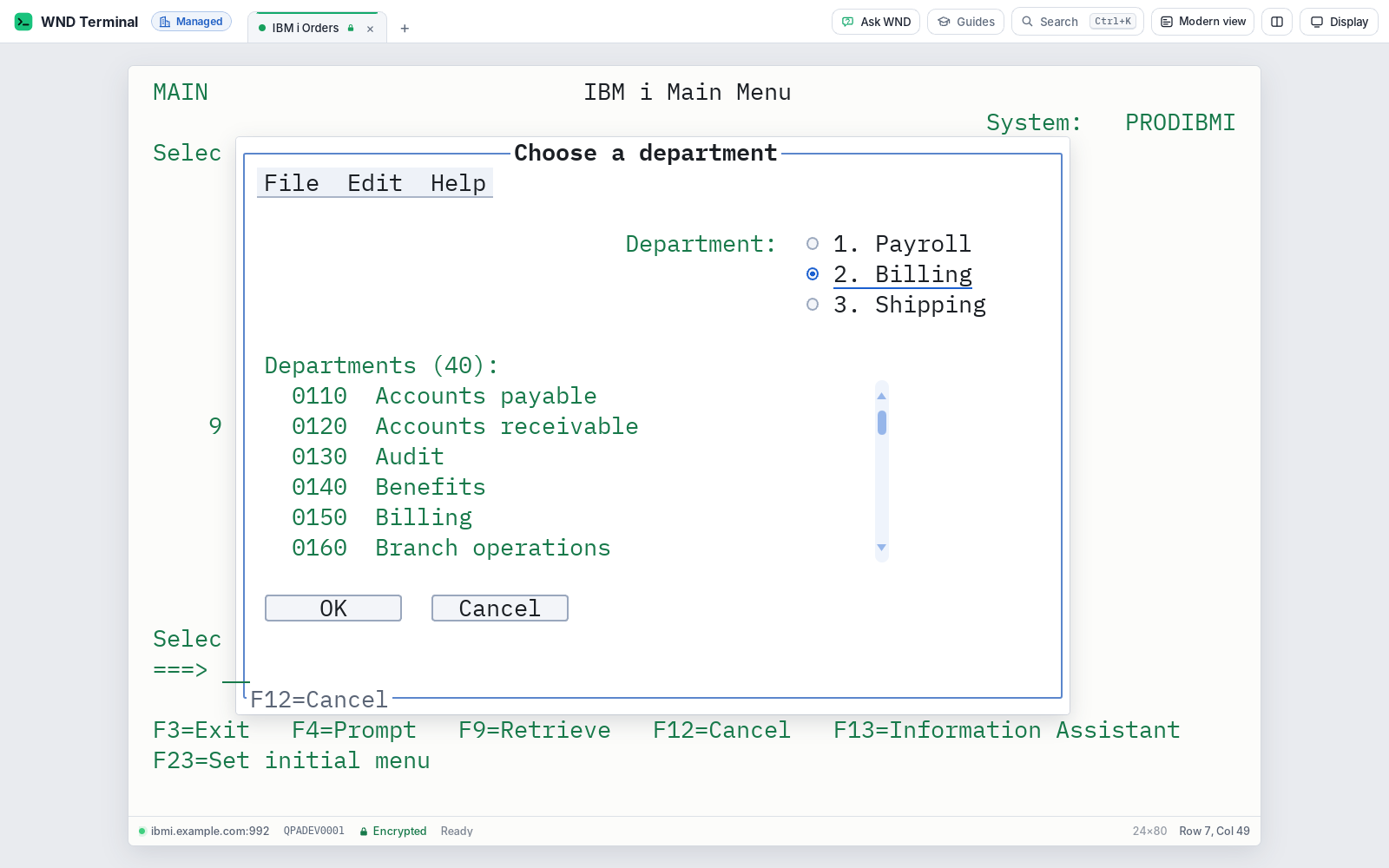
WND Terminal is a 5250 terminal emulator for IBM i (and a 3270 emulator for IBM Z), for Windows, Mac and web browsers. It supports IBM i’s input fields and keys, 24×80 and 27×132 screens, IBM i printers, automatic sign-on with password substitutes, IBM’s enhanced 5250 interface (graphical windows, menu bars, radio buttons, check boxes, push buttons and scroll bars), and Japanese, Chinese and Korean double-byte code pages. It imports sessions and keyboard files from IBM i Access Client Solutions, PCOMM, Reflection, BlueZone and tn5250.
The problem
ACS works, but it’s a Java app, and getting the keyboard right for each department is a project every time.
Our Mac users have been told to “just use Citrix” for ten years.
How it works
Bring your sessions
Drop ACS (.hod), PCOMM (.ws, .kmp), Reflection (.rd5x), BlueZone (.zad) or tn5250 files on the window. WND Terminal shows what it found before saving anything.
Or let IT set it up
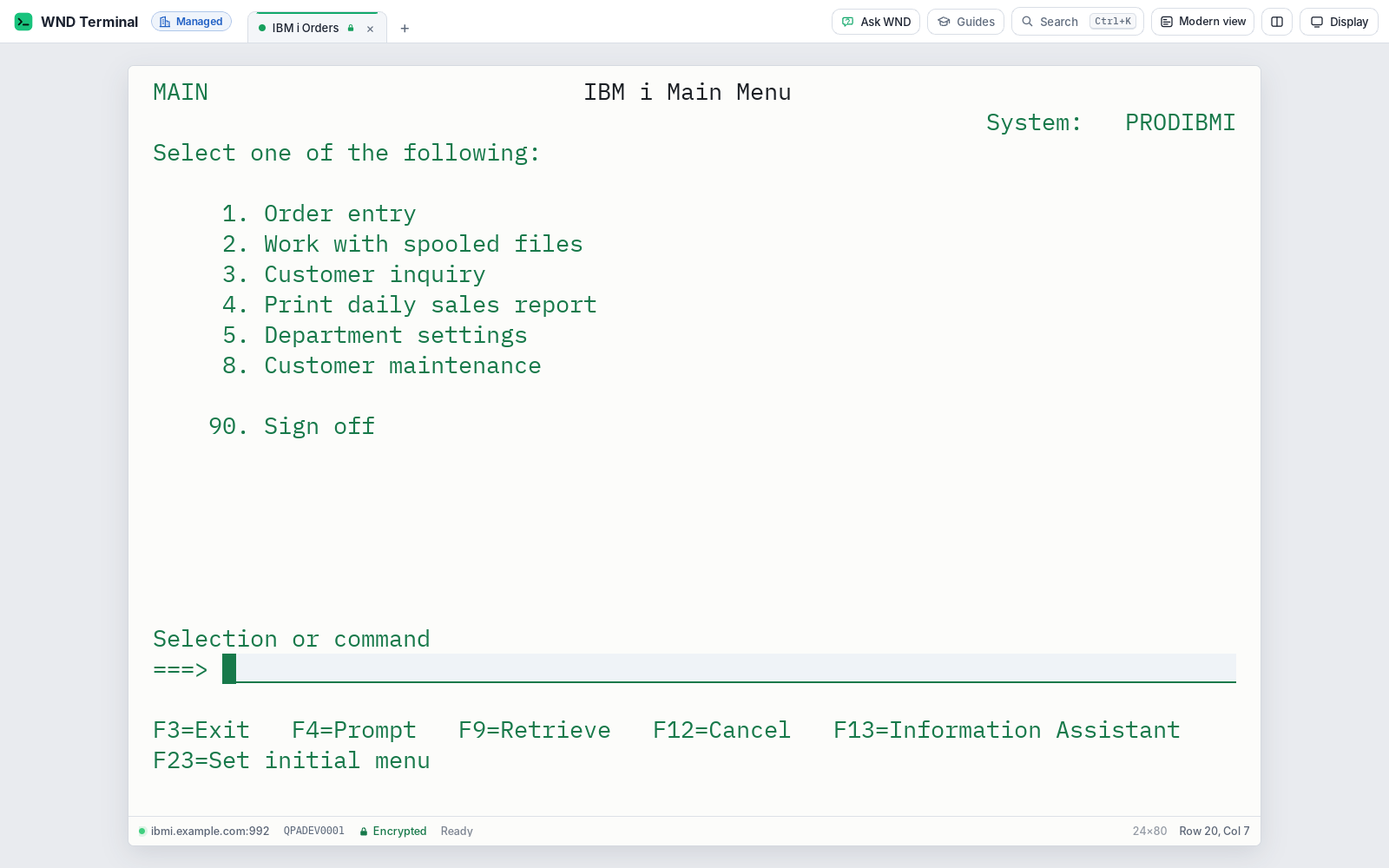
A connection marked “open at start” opens on IBM i’s Sign On screen when the app starts. The host type can be locked to IBM i and every setting pre-filled.
Sign on
Type your password into IBM i’s Sign On screen, or turn on automatic sign-on: WND Terminal asks for the password and IBM i shows your menu.
Work
The keys behave as in PCOMM and ACS, including Field Exit, Field+/Field−, Roll Up/Down, System Request, Attention, Help, Dup and Field Mark.
Built for IBM i shops
Keys people already know
As in ACS, Enter and right Ctrl are Enter and Ctrl+Enter is Field Exit. Esc is Attention and left Ctrl is Reset, as in PCOMM. Sites with their own layout import their keyboard file.
One app for IBM i and the mainframe
Under one policy and one license, with the host type lockable for shops that run only IBM i.
Native on Mac
One app for Apple Silicon and Intel, not a Java application, with MacBook key mappings.
In the browser
IBM i sessions and printers through a gateway you host, with single sign-on.
A complete 5250 emulator
5250 display
- IBM i input fields: numeric only, digits only, signed numbers with Field+/Field−, right adjust and zero fill, monocase, mandatory enter and fill, Dup, Field Mark
- 24×80 and 27×132 screens; device names, with the one IBM i assigned shown in the status line
- Windows, Roll Up and Down, Help, System Request, Attention, Print; the message-waiting indicator
- Operator error codes explained in the status line (“0009: only numbers in this field”), with Reset on left Ctrl as in PCOMM
- TLS, backup hosts, host code pages, keyboard maps, macros, screen history, the audit log and the usage dashboard
IBM’s enhanced 5250 interface
- As in IBM i Access Client Solutions: real window frames, menu bars and pull-downs, radio buttons, check boxes, push buttons and scroll bars
- Usable with the mouse or the keyboard
- On unless IT turns it off (
Enhanced5250= false)
Automatic sign-on, without sending the password
- A one-time password substitute (RFC 4777): DES for password levels 0 and 1, SHA-1 for levels 2 and 3
- The password is never sent, even over TLS, and never saved; it’s wiped from memory once the substitute is made
- A wrong password shows IBM i’s own message (CPF1107) with no second try, so it never adds to
QMAXSIGN - Optional program, menu and current library; IT can turn it off everywhere
IBM i printers
- IBM i prints spooled files to WND Terminal as to a network printer, with an optional message queue and host print transform
- Each spooled file is saved and listed in the Printers panel, to view, open or print
- Plain-English reasons when IBM i can’t start the printer (device in use 8902, not varied on 8901 and others)
- Printers IT defines for everyone, started with the app
Japanese, Chinese and Korean
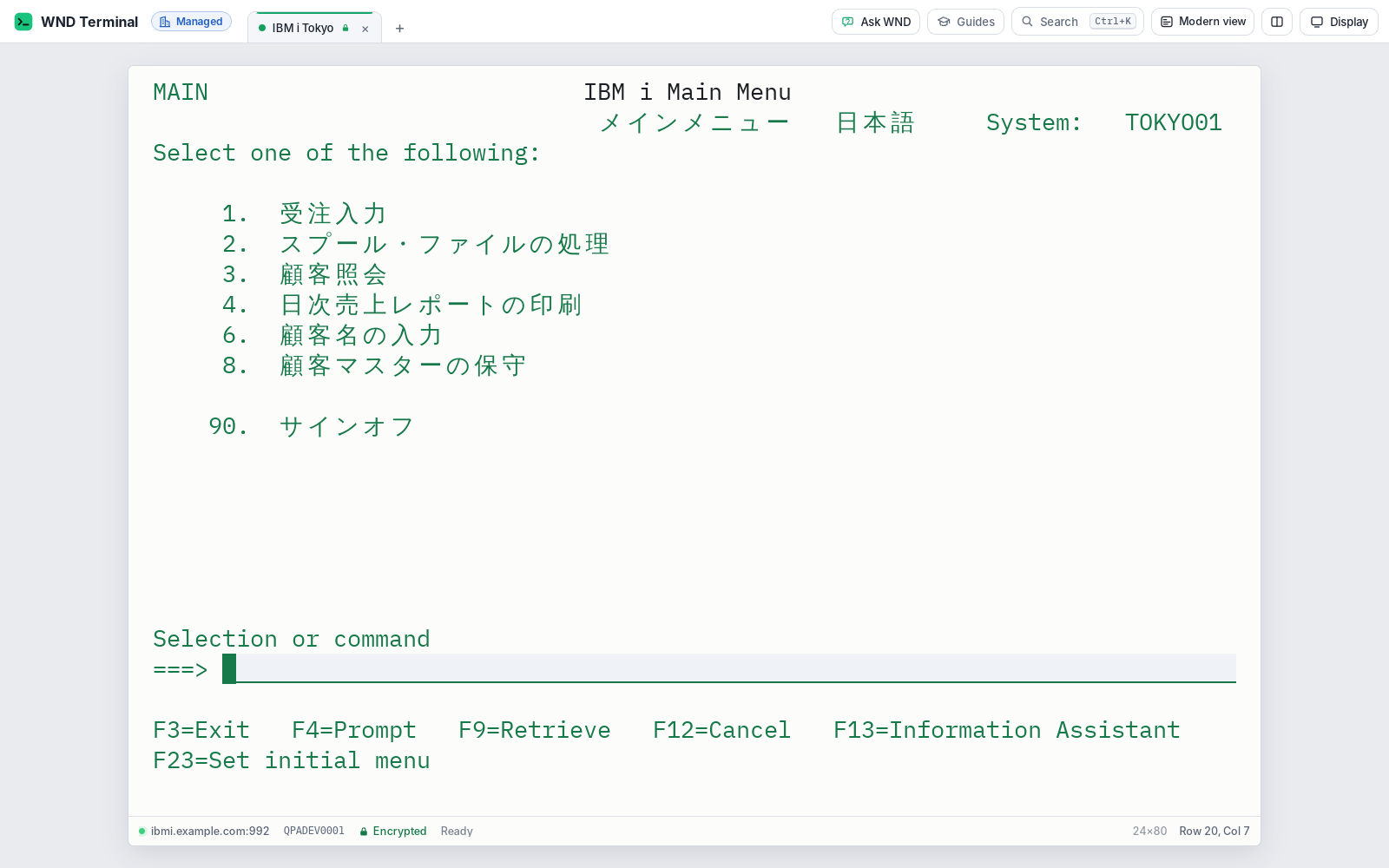
Double-byte code pages 930, 939, 1390 and 1399 (Japanese), 935 and 1388 (Simplified Chinese), 937 and 1371 (Traditional Chinese), 933 and 1364 (Korean). Characters are drawn two positions wide, DBCS-only, either, open and graphic fields are handled as IBM i defines them, and people type with the operating system’s input method.
Everything else works on IBM i too: Modern view, Fill from Excel, Capture all pages (Work with Spooled Files to Excel), Explain this screen (CPF, CPD, MCH, RNQ and SQL messages), Ask WND (WRKJOB and the job log), Guided training, Session recording and Response-time monitoring.
The IBM i keys, on a MacBook keyboard
WND Terminal is one native app for Apple Silicon and Intel Macs (macOS 11 or later). A MacBook has no keypad, Insert, Pause or Page keys, so these are added. Every IBM i key is also in the command palette (⌘K): type “field exit” or “roll up” and press Return.
| Mac key | 5250 key |
|---|---|
| Return | Enter |
| Control+Return | Field Exit |
| Control+= and Control+minus | Field+ and Field− |
| F1–F12, Shift+F1–F12 (with fn on a MacBook) | F1–F24 |
| fn+Down / fn+Up | Roll Up / Roll Down |
| Control, pressed and released on its own | Reset |
| Escape, Control+A, Option+A | Attention |
| Shift+Escape | System Request |
| Control+H | Help |
| Control+D, Control+M | Dup, Field Mark |
Under IT’s control
Every capability in WND Terminal follows the same rules: IT decides, the audit log records it, and nothing is sent to WND Software.
IBM i sign-on security →- Password substitutes, never passwords (RFC 4777). Automatic sign-on needs IBM i’s
QRMTSIGNset to*VERIFYor*SAMEPRF. - Locked settings. An IT connection’s host type, host, port, screen size, device name and encryption can’t be changed by people, even by typing the address.
- Same policy as the mainframe: encryption required, approved connections only, masking, copy, paste and print controls, and the audit log to Splunk or syslog.
Checked byte by byte
Tested against IBM i’s protocol
WND tests IBM i against a test system that checks every byte the app sends: a wrong password (CPF1107), signing on, a data entry form with every kind of 5250 field, a refused letter (0009) and Reset, paging, windows, Help, System Request, Attention, 27×132 and a device name in use.
Sign-on, printers and DBCS
Automatic sign-on is tested at password levels 0, 2 and 3. Printers are tested with every print record’s acknowledgement checked. Japanese, Korean and both Chinese code pages are tested through the engine.
20% of the Fortune 100 trust WND. Read the customer stories →
IBM i (5250): questions
Is there an IBM i (AS/400) emulator for Mac?
Yes. WND Terminal is a native Mac app for Apple Silicon and Intel (macOS 11 or later) with full 5250 support, MacBook key mappings for Field Exit, Field+/−, Roll Up/Down and Attention, and the same features as on Windows.
Can WND Terminal replace IBM i Access Client Solutions for 5250 sessions?
Yes, for 5250 display and printer sessions. It imports ACS .hod session files and their keyboard files, supports IBM’s enhanced 5250 interface as ACS does, and matches ACS’s keys. ACS’s other IBM i tools, outside 5250 emulation, are separate.
Does automatic sign-on send our IBM i password?
No. WND Terminal sends a one-time password substitute (RFC 4777), never the password, even over TLS, and never stores it. Set the password level on the connection to match your system’s QPWDLVL for level 2 or 3.
Does it support IBM i printers?
Yes. IBM i can print spooled files to WND Terminal as to a network printer, with an optional message queue and host print transform. IT can define printers for everyone and start them with the app.
Does it support Japanese, Chinese and Korean IBM i systems?
Yes. It supports the IBM i double-byte code pages 930, 939, 1390, 1399, 935, 1388, 937, 1371, 933 and 1364, including typing with the operating system’s input method.
Can we lock WND Terminal to IBM i only?
Yes. DefaultHostType with LockHostType locks the connect page to IBM i (5250), and OpenAtStart opens your IBM i connection on the Sign On screen when the app starts.
Works well with
Bring your ACS and PCOMM files.
Drop them on WND Terminal during a proof of value. Your 5250 sessions connect with the keys your people know.